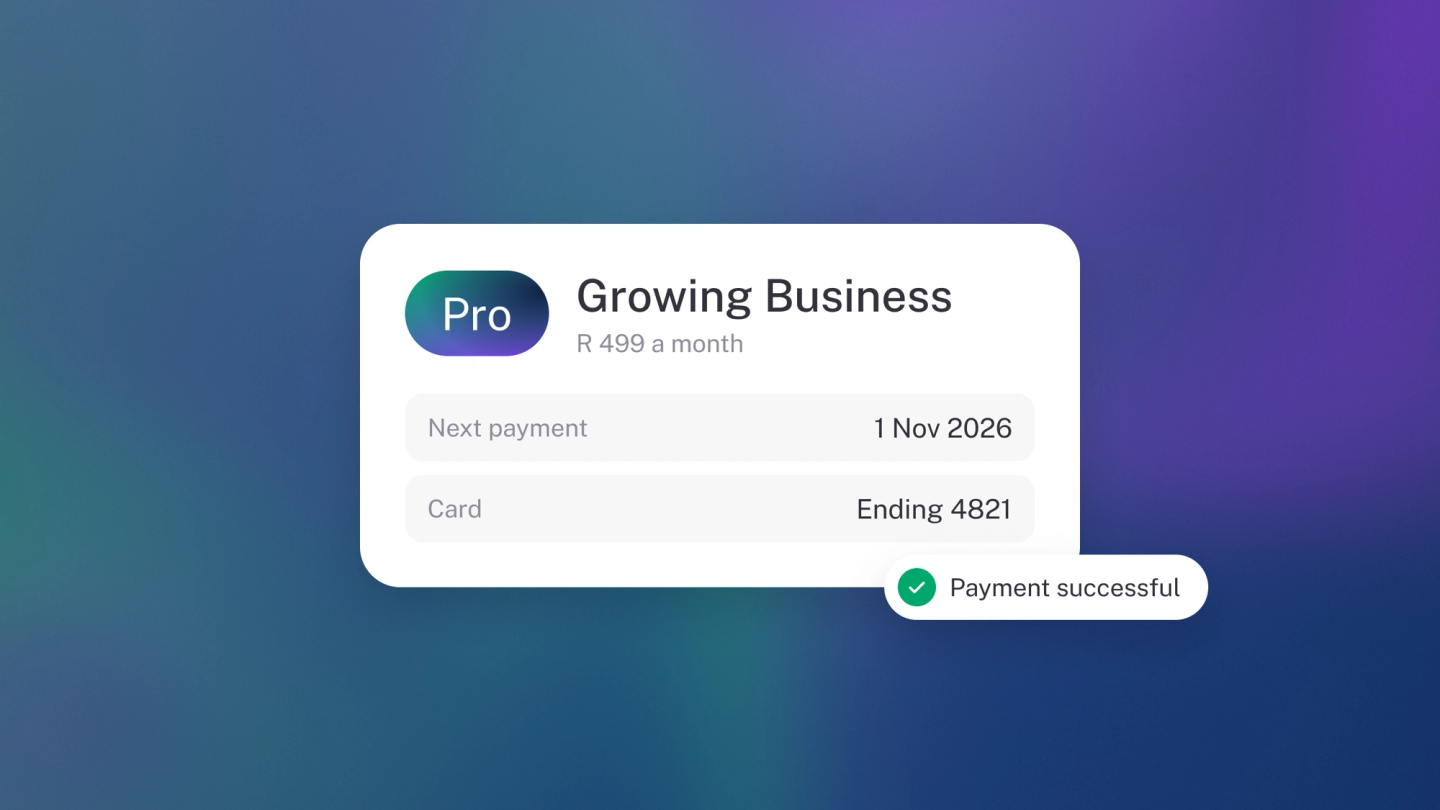
Your subscription is your arrangement with stub itself: the plan this business is on, and what stub charges for it each month.
stub asks you to keep honest books, so it keeps its own relationship with you just as plain: one page that shows what you're on, what it costs, and where to change it. That page is Settings → Billing, under the Administration heading. Come here when a feature asks you to upgrade, when you want to know what next month's debit will be, or when you're weighing up whether a paid plan earns its keep.
Start with the trial
Every new business gets 14 days on Steady Startup, with no card up front. There's nothing to cancel — if you don't pick a plan, the trial simply ends and the business moves to Sneaky Side Hustle, free, with all your records intact.
While you're on trial, Billing shows the four plans as cards. Pick one whenever you're ready. See The free trial.
Partner offers
If you came to stub through a partner with an offer, such as Capitec's, Billing shows the offer at the top with the partner's logo and the next step, such as connecting your account. Once that's done, the plan cards are priced with the offer. The offer only shows while your business hasn't bought a plan, and it goes once you subscribe.
You don't need to enter a code. When you pick a plan, the offer is applied for you and the picker says so, for example Capitec offer applied.
Read your plan card
The card at the top names the plan this business is on and carries its tier badge — Free, Basic, Pro or Max. Under it:
- Status — Active, Trial, Overdue, Paused or Cancelled.
- Price — what you pay a month, and the discounted figure beside it if you're on one.
- Actions a month — the allowance your plan includes.
- Payment fees — what a card payment from your customer costs you, for South African and international cards. These two rows only appear once you've switched online payments on.
The buttons on the card change with your state: Manage to change plan, Pay now if a payment is overdue and you have a card on file, Resume if the subscription is paused.
A business on the free plan has no plan card, because there's nothing to manage yet: Billing shows only the plan cards. A trial that hasn't picked a plan sees the same.
Buy more actions
Your plan includes a set number of actions each month. If you run out, automation pauses until the allowance resets, though anything you do yourself keeps working. To keep automation going sooner, go to Settings → Billing, find Top-up balance and click Top up (the same button is on Settings → Usage). The sheet shows your balance in actions. Pick a bundle: the larger bundles carry a badge with how much you save, for example 2,500 actions for R199 shows Save 20%. Then click Buy, which names the price, to pay with your card on file. Top-ups are only used once your plan's actions run out, and they don't expire, so nothing you buy goes to waste.
Only people who manage billing can top up. There's no automatic top-up: you choose when to buy a bundle, so your bill never grows without you deciding.
The plans
| Plan | Price | Actions a month | Team seats | Local card fee | International card fee |
|---|---|---|---|---|---|
| Sneaky Side Hustle | Free | 100 | 1 | 4.5% + R 2 | 4.7% + R 2 |
| Steady Startup | R239 | 5 000 | 3 | 3.5% + R 2 | 3.7% + R 2 |
| Growing Business | R499 | 8 000 | 5 | 3.0% + R 2 | 3.2% + R 2 |
| Established Entrepreneur | R999 | 15 000 | 5+ | 3.0% + R 2 | 3.2% + R 2 |
Established Entrepreneur (R999 a month) is the top plan, with no cap on team members, and it's open to everyone: pick it from the plan cards, or from Manage if you already pay for a plan. Your plan card is the source of truth for your own price, including any discount. The full feature-by-feature comparison is on the pricing page.
Which plan a feature needs is decided feature by feature, and the app tells you which one when you meet a locked feature — "Get the general ledger on the Steady Startup plan". Most of what the guide marks as paid — bills, purchase orders, assets, the General Ledger, management reports, files, tags, extra team members, multiple currencies, automatic bank sync — is on Steady Startup. Sales Tax, income tax and payroll are on Growing Business.
Change your plan
Click Manage on the plan card. A Change plan window opens with every plan in one dropdown, starting on the one you're on. Pick another and stub tells you what pressing Change will do before you press it:
- Moving up — "This starts immediately, and we charge you for the difference for the rest of this billing period." You're on the new plan straight away, and stub shows the exact amount it billed.
- Moving down — "This starts at the end of your current billing period." Nothing is charged today. You stay where you are until the date shown, and the plan card then carries a note saying which plan you're moving to and when.
- On the free plan — Billing shows the plans as cards and no plan card, because there's nothing to manage yet. Pick the plan you want from the cards to start a subscription.
If you're on a legacy plan, stub asks you to confirm before it moves you, and names the price you'd be giving up. Read that sentence carefully — you can't go back to a legacy price once you've left it.
Cancel
Cancel subscription is in the same Change plan window. stub asks once, and tells you exactly what you're agreeing to: "This ends your subscription right away. You lose its paid features now and your business moves to the free plan. We don't refund any part of the month you've already paid for. Your card won't be charged again." Your records stay. If you'd rather keep the paid features until the end of the month, move down to a cheaper plan instead. Full detail in Cancel your subscription or close your account.
Your payment method, billing date and billing contact
Three rows sit just above the plan area, and they belong to a subscription that's already running — a free or trialing business won't see them.
- Payment method — the card stub bills, with its expiry. Click Change to open stub's secure billing portal and update it. There are no card fields in the app itself, because stub never stores or shows your card. If the card expires, this row says so.
- Billing date — the day of the month stub charges you. See Change your billing date.
- Billing contact — where subscription receipts and payment notifications go. By default that's the business email; click Edit to pick any team member's address or your own instead, and choose the business email again to clear the override.
Your Tax invoices stay at the bottom of the page — see Download your stub tax invoices.
If you are on a trial, overdue or cancelled
A notice at the top of the page says where you stand.
- Overdue — stub will retry your card before the date shown, and if it still fails the business drops to Sneaky Side Hustle. If you have a card on file you don't have to wait: click Pay now on the plan card to settle it straight away.
- Cancelled — the subscription has ended and the business is on the free plan. Your records are all still there. To come back, pick a plan from the plan cards shown under your plan card. There's no Manage button on a cancelled plan.
- Trial — the date it ends, and the four plan cards below it to pick from.
If you were already paying before the plans changed
Some businesses are on Growing Business (Legacy) at R189 — the plan that carried the Growing Business name before the four-plan sheet went live. It isn't the Growing Business on the pricing page: different price, and 3 seats rather than 5. stub honours it until September 2027, and says so on your plan card. See What the price change means if you were already paying.
If a partner manages your subscription
If you came to stub through a partner, clicking Manage tells you who handles your billing. Speak to them rather than to stub.
Multiple businesses
Each business has its own subscription. Switch business first, then check Settings → Billing. See Run multiple businesses.