Changelog
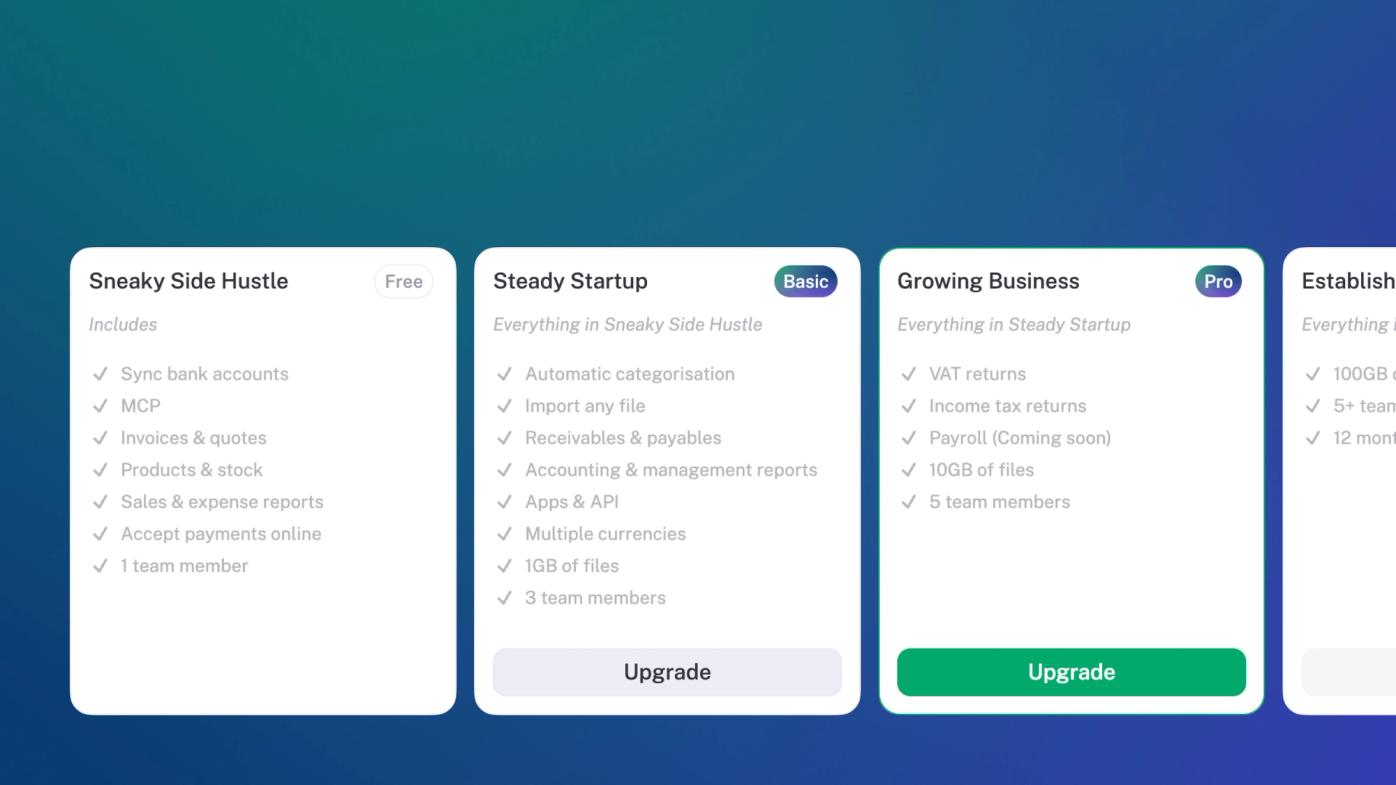
New subscription plans
While stub has changed a lot over the last few years, our subscription plans have remained the same. There's more functionality than ever before, and it didn't make sense to keep cramming it into a one-size-fits all plan. So we've updated the subscription plans to better reflect everything that stub can do today. There's still a Free tier for your side hustle. The Basic and Pro tiers cover most businesses. And the Max tier will work for you if you are processing a lot of data daily.
Complex filters
Slicing data is kinda what we do. We're always looking for ways to make it easier to work with data, no matter the shape of your business or the complexity of the task. Now you can create custom filters that filter your data across multiple dimensions, with multiple values in one view (e.g. "Overdue + Due" together) instead of one value per filter. Available everywhere you filter things in stub.
Improvements
Billing: enter a discount / promo code when subscribing or changing plans and see the exact discount before you pay.
Expenses: download a PDF or copy a shareable link straight from a bill — matching what sales invoices and purchase orders already offered.
Products: record a Stock code / SKU on products and services.
Transactions: selecting large numbers of transactions (500+) for bulk actions is now fast and reliable, instead of freezing.
Bank accounts: a reconnect notification now appears when a bank feed has silently stopped updating, instead of looking healthy while frozen.
Billing: resubscribing after a cancelled subscription now works more simply.
Transactions: bank transactions with nothing linked now show a clear add button to create the income or expense.
Reports: the Trial Balance now defaults to cumulative balances as at a date (ties to the Balance Sheet), with an option to switch to a period view.
Billing: set a dedicated billing contact email.
Fixes
VAT: fixed the VAT Sales report overstating total sales when a credit note reversed a sale, and undercounting purchases for VAT-exempt/zero-rated businesses.
Data: fixed amounts occasionally displaying as "RNaN" instead of a value.
Invoices: fixed the recurring invoice "Automatically send" toggle not saving reliably.
Data: fixed a background data syncing error that was firing on every page load for some businesses.
Email: fixed SMTP email settings losing their "verified" status after a successful test.
VAT & Tax
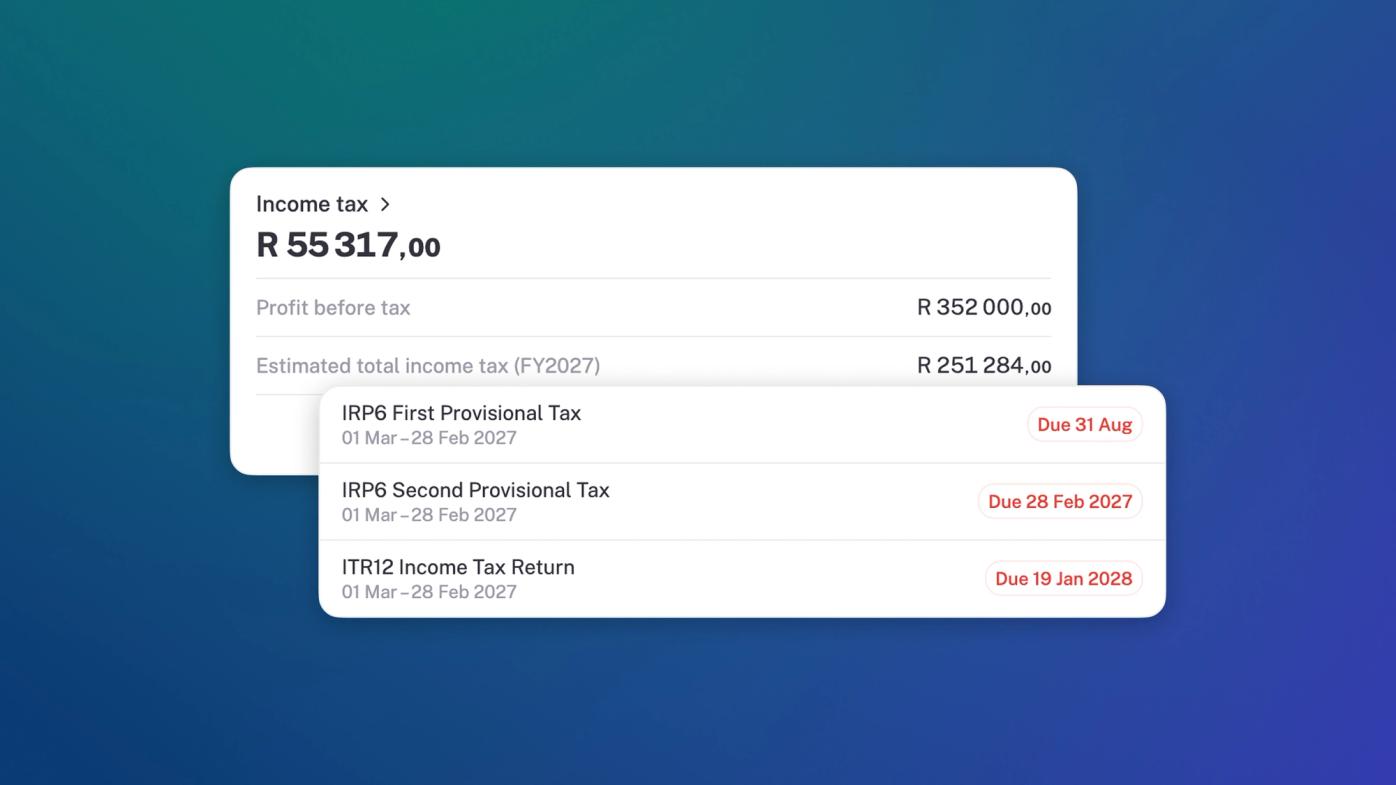
We now support most statutory reports in South Africa and other countries. That means your SARS reports come straight off the ledger. Easy peasy, filing breezy.
To break this down a little bit:
- You can now add schedules for your VAT and tax obligations. So if you are on a Category B VAT cycle, you set that in stub, and we let you know every time your VAT 201 is due. It will be prepared for you so it's ready to go with plenty of room before it's due.
- You can also schedule your tax submissions. You get a template of all the requirements, ready to go, based on your business registration and selected tax regime.
- Once your business registration information is added, we'll show you your income tax due — and we'll forecast your total income tax for the financial year, so that you have a better idea of what you're in for.
Tags
Tags got a couple of upgrades: you can now create tag groups which makes keeping lots of tags organised super easy; you can archive tags that you're no longer actively using; and you can tag customers and suppliers to keep them tidy. Tag. You're it.
Trash
Yes, this is an actual feature... Now, whenever you delete something it just gets put in the trash and you can go dig it out later if you decide you want it back. Sleep a little easier.
Improvements
Team: if you have multiple businesses you can now set a primary business that will load automatically when you come to stub.
Filters: filters on sales, expenses, customers etc now save to the business rather than your browser, so they survive a log-out or a new device and the whole team sees them.
Bank: we now show a whole lot more detail about why a bank connection fails — instead of a generic "please try again".
Files: when importing photos we now do a better job matching your existing customers suppliers and products, instead of accidentally duplicating them.
Settings: you can now add more detailed information about your business registration and tax regime.
Fixes
Invoices: totals no longer flash 0.00 while the real total is still being calculated.
Invoices: fixed a bug where sometimes if VAT was added to an item and marked as inclusive, the VAT was not calculated correctly.
Reports: South Africa's VAT 201 now counts untaxed export sales correctly in field 2A.
Insights: overdue/upcoming invoice tiles now total correctly for businesses whose invoices settle via matched bank payments.
Invoices: credit-noted invoices now drop off the unpaid list once fully offset.
Income: fixed an error that occurred when allocating a transaction to an invoice, caused by a corrupted browser cache.
Settings: clearing the cache now clears the local cache as well as the database cache. All the cache's get uncached. Okay. We'll stop saying cache now.
Insights: fixed a bug where businesses with no currency set would sometimes see inflated balance sheet figures from a spurious currency conversion.
Apps: fixed an error where Yoco transactions could be duplicated when the app re-syncs.
Accounting: deleting a bank account, loan or VAT record now correctly removes its linked ledger account instead of leaving orphans.
Transactions: when categorising transactions the search field now matches invoices, assets, customers or suppliers right away, without needing a click to drill down.
Transactions: automatic categorisation no longer mistakes a bank or payment processor's name in a description for the merchant itself.
Pick a billing date that suits you
You can now shift your stub subscription renewal to whichever day of the month suits your business best. Plus, download official tax invoices straight from your billing settings to log stub as a proper business expense in stub.
Improvements
Performance: Large businesses load faster and stuck categorisation spinners clear automatically.
Banking: Bank sync errors now explain the exact reason when they can. Instead of showing a generic failure.
Transactions: When matching transactions to bills or invoices we now rank them by the closest due date, instead of just matching the first one we find.
Fixes
Invoices: Recurring invoices no longer stop recurring silently after reaching run limits.
Expenses: Editing an expense linked to a bank-imported supplier no longer throws a save error.
Files: Email attachment file names no longer truncate at spaces. We also fixed a bug where previously organised files could move into a different folder location. No more sneaky teleportation going on.
Customers: Deleting a client is now blocked if active invoices or quotes would be left orphaned. Same for suppliers.
Investec feeds now connect directly to stub 🦓
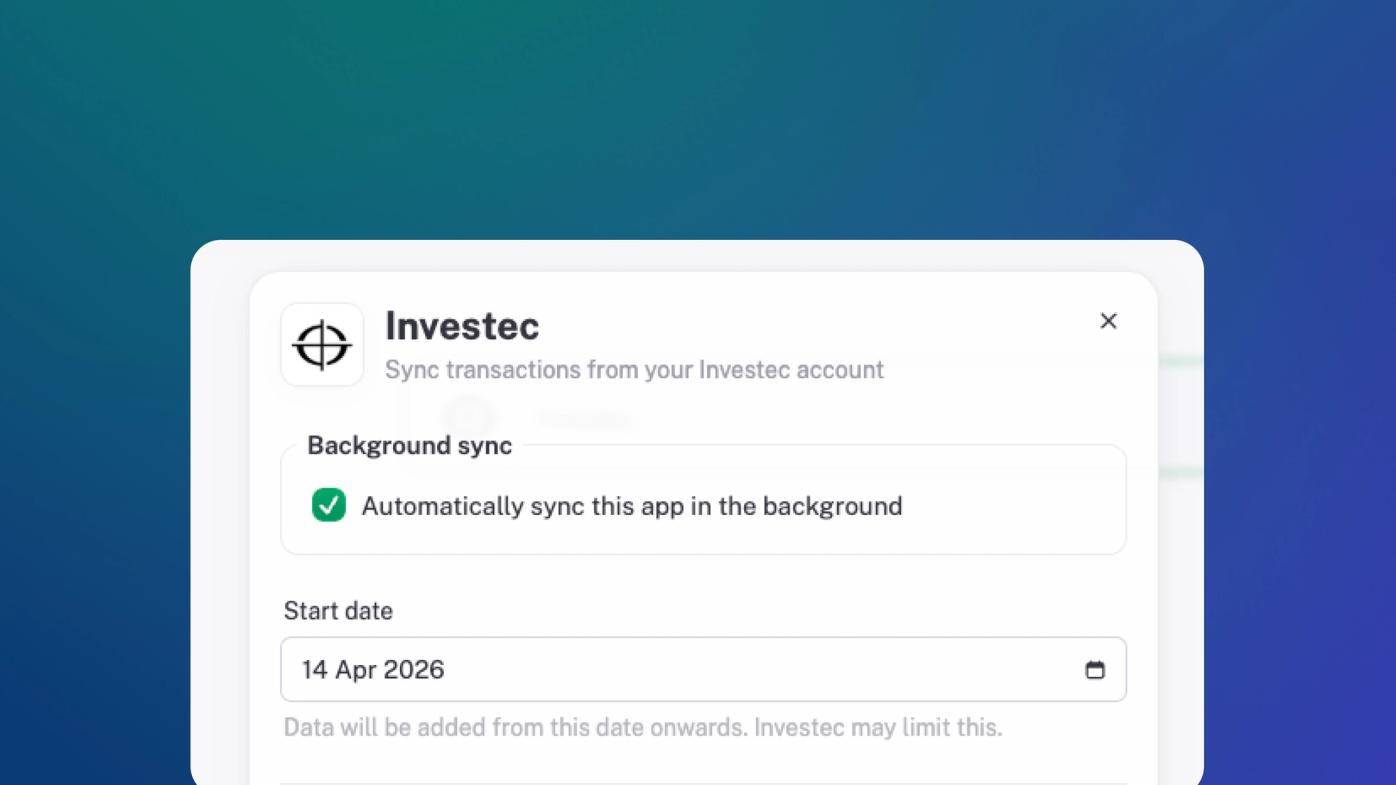
stub now connects directly to Investec - which means the account you already trust with your money can finally talk to the platform you run your business on.
Live bank feeds. Transactions categorised the moment they land. Your numbers, current to the minute. No exporting, no importing, no reconciling by hand at eleven at night.
Why connect Investec to stub
- Live bank feeds: Income and expenses appear on their own - no delay, nothing to upload.
- Categorised automatically: Revenue, payroll, suppliers, subscriptions - sorted as they arrive.
- Real time insight: What you’re earning, where it’s going and what that means for today’s decision. The month end that isn’t.
Improvements
Bank sync: The "Last synced" timestamp now updates the second a manual bank sync finishes, no page reload required.
Reminders: A clean month switcher replaces custom schedules for recurring reminders, complete with clear warnings when picking 29th–31st dates that skip shorter months.
Mobile: Dropdown menus and account pickers now stretch full-width on small phones and lock page scrolling while you drag.
Bank sync: Reaching Capitec's hourly sync limit now shows a friendly "try again later" note instead of a false reconnect prompt.
Fixes
Payments: Fixed an issue where toggling VAT inside the Add Payment modal could freeze the window.
Invoices: Business logo uploads now enforce raster formats so vector files can no longer silently vanish from invoice PDFs.
Invoices: Bank details now display consistently across the editor, customer view, and downloaded PDFs.
Contacts: Imported contacts from Xero, Stripe, Shopify, Yoco, and WooCommerce can now be reselected cleanly when reassigning invoices or bills.
Transactions: Removing an auto-matched imported payment now keeps it unlinked permanently instead of reappearing on refresh.
Reports: Deleting a bill or credit note immediately clears ghost entries from the General Ledger, Trial Balance, and Balance Sheet.
Invoices: Fully settled foreign-currency invoices and bills now correctly update their status to paid instead of showing phantom balances.
Reports: Accounts Receivable now always reflects linked invoice payments immediately with accurate totals.
Imports: Imported invoices and bills with unrecognised VAT rates now fall back to your default tax rate rather than dropping VAT entirely.
Tags: Saving a record that references a deleted tag now succeeds smoothly.
Expenses: Bulk-recategorising asset-linked expenses now processes cleanly without crashing the batch.
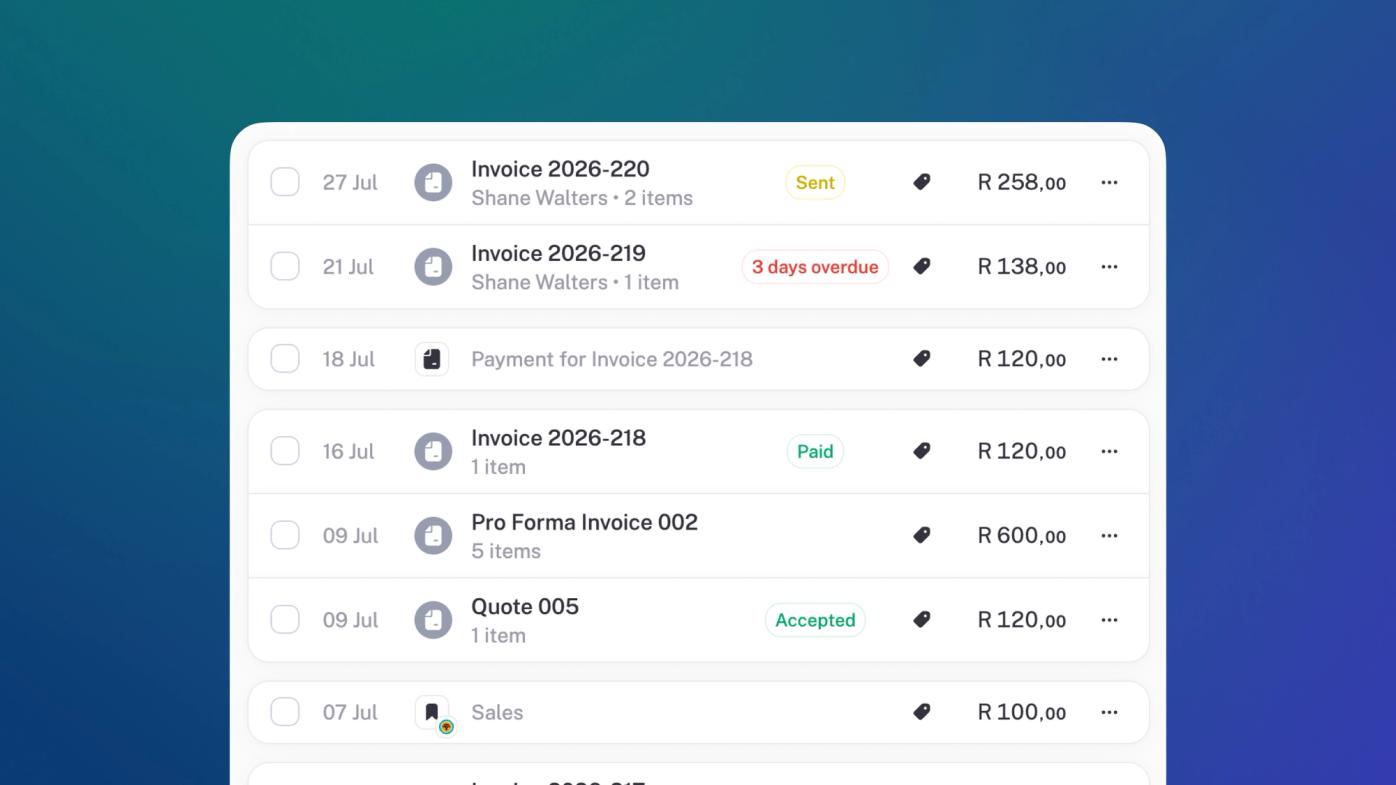
Transaction Categorisation
Our transaction categoriser got upgraded so that it's sharper, smarter and more coachable. Manual corrections feed straight into its learning loop, so stub remembers your ledger's rules—or quirks 👀—for next time.
Make a note
Add notes to bills and orders. This makes it easy to keep track of critical context—like supplier disputes or internal reminders—directly where they happen.
Improvements
Settings: Sole proprietor or NPC? Choose your exact entity type with localized, jurisdiction-specific options that finally end the identity crisis in Business Details.
Transactions: Spot the exact provenance of every sale and expense with inline app and channel logos, so you can tell a Yoco payment from a Takealot order at a glance.
Insights: Empty screens now link directly to their source pages, turning analytical dead ends into handy shortcuts to help you populate those charts.
Invoices: Detach payment allocations from invoices and bills with a single click, bypassing the nuclear option of deleting the whole document just to fix a mismatch.
Search: Dropdown menus now stay rock-steady while you type, so you'll never accidentally click the wrong row when a logo loads a millisecond late.
Reports: Large pdf exports now run quietly in the background, so you can keep moving instead of watching a progress spinner spin its wheels.
Fixes
Apps: Background sync no longer overwrites your active progress when creating a new customer, supplier, product, or asset.
Files: Uploaded documents now show their true processing status, rather than claiming completion before the AI has finished reading.
Transactions: The Cash filter now correctly includes unbanked cash entries instead of excluding them.
Suppliers: Outstanding balances no longer double-count debit notes, aligning supplier metrics with actual statements.
Invoices: Re-enabling installment splits on invoices, quotes, or pro-formas now successfully restores the split.
Taxes: Sales tax now applies immediately when adding a newly created taxable product directly to an invoice, quote, or bill.
Invoices: Percentage-based line discounts now render correctly across all invoice editors, views, and PDFs.
Settings: Saving a nameless record no longer triggers a cryptic "null updated" notification.
Team: Failed member role changes now surface clear error messages instead of failing silently.
Apps: A new confirmation prompt on the Capitec modal prevents accidental data loss, alongside fixes for bank sync and multi-currency reconciliation.
Invoices: Recurring invoices now bear the correct scheduled generation date and are guaranteed to run even during peak system traffic.
Integrations: Simultaneous order syncs from external apps now update invoices cleanly instead of clashing.
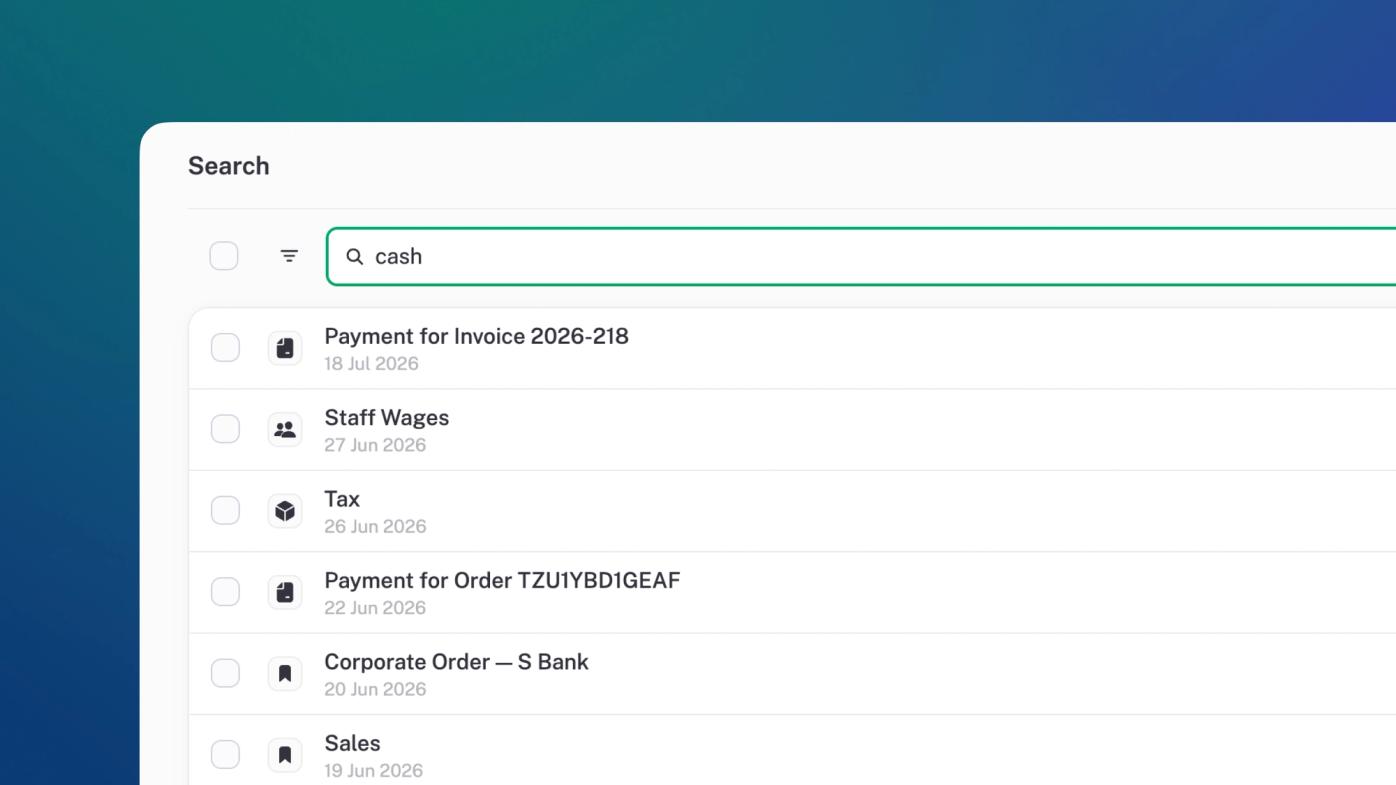
Search, select, sweep
Search any bank account or account code, and stub pulls up matching transactions instantly. Even better: bulk-select your search results to categorise, archive, or delete them in one clean sweep.
Improvements
Invoices: downloading large invoice batches, quotes, or bulk exports now happens silently in the background while you keep working
Sales: Changing the month now swaps lists in cleanly, eliminating distracting visual flashes and screen-jumping.
Apps: Bank sync now includes a double-click cooldown and a reassuring "You're all caught up" status when there are no new transactions.
Insights: The Balance Sheet now automatically hides zero-balance lines, giving you a cleaner, clutter-free look at your financial health.
Reports: Sped up page loads and document generation for busy accounts with massive transaction histories or heaps of attachments.
Apps: Synced transactions and invoices now display their source app's logo next to the category for instant context.
Team: Changing a member's status now displays clear error messages and keeps the dialog open if the update fails, so you don't have to start over.
Expenses: Detaching an entry from an invoice or bill now safely unlinks the record rather than deleting it outright, keeping your records intact.
Sales: The "no reminders will be sent" warning on paid invoices is now hidden unless a reminder was actually scheduled.
Profile: Avatars now sport a subtle, modern gradient because even back-office admin deserves to feel a little fezzy.
Fixes
Team: The team member list now refreshes instantly when you change roles or delete members, so you don't have to refresh the page manually.
Expenses: The Cash filter now correctly displays all transactions, even those unlinked to a bank account, so your cash-in-hand balance is always accurate.
Files: The file viewer now immediately displays updated information after a background sync, so you're never looking at outdated documents.
Files: Document uploads no longer fail or mistake your outgoing invoices for incoming bills.
Finance: Fixed bank reconciliation incorrectly merging separate transactions that happened to share a name, so your distinct payments stay separate.
Sales: Business logos now render reliably on all downloaded PDF invoices and quotes, saving you from sending blank-header documents.
Housekeeping
This update was all about cleaning up and housekeeping. There’s been a looooot of tidying up around here.
Oh, also, over 10 000 businesses are now on stub. Not exactly a new feature, but we’re totally celebrating the many awesome people hustling on stub every day. High fives to all you who make it happen.🥂
Improvements
Sync: Instead of waiting for the entire universe to update every time you click sync, each bank account or app updates individually. No more all-or-nothing fingers crossed syncing.
Performance: Optimized database queries, logging pipelines, and memory pools so stub is screamingly fast and rock-solid under pressure.
Transactions: Upgraded our cache architecture to guarantee you’re always seeing the freshest real-time data across the app.
Accounts: Standardized foreign currency journal imports so they match up by account name instead of codes.
Fixes
Bank Accounts: Fixed an issue where PDF and CSV statement imports would abruptly stop at the 15th of the month.
Invoices: Resolved a random condition that could occasionally drop line items from fresh invoices.
Invoices: Fixed a double-counting bug on deleted or voided invoice balances.
Transactions: Prevented duplicate bank account creations and resolved an issue where deleted duplicates would creepily reappear. 💀
Bank Accounts: Stopped a scenario where some bank syncs would silently drop or delay transactions.
Bookkeeping: Prevented uploaded bills from accidentally categorizing themselves as outbound invoices.
Chart of Accounts: Fixed a bug where setting an expense role to "None" would stubbornly revert back to "Cost of Sales".
Payments: Swept away sub-cent FX rounding residue that was getting split payments stuck in limbo.
Security: Fixed an issue where one-time PINs (OTPs) weren't sending.
Team: Business owners can now leave a business without getting trapped in a loop that sometimes pulled them back, like it was Hotel California.
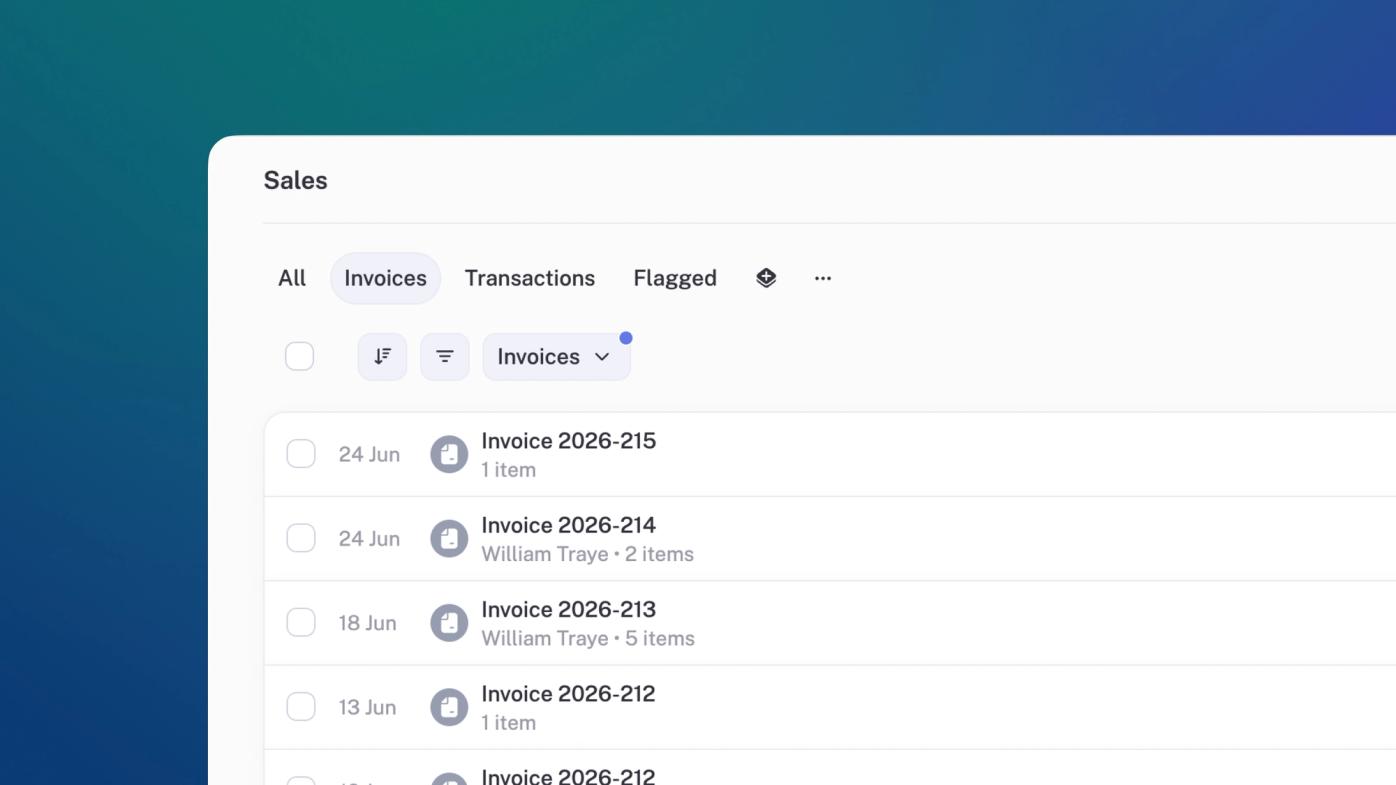
Custom views
You can now save custom filters across your workspace, so you don’t have to filter the same views five times a day. Useful everywhere. Especially sales and expenses.
Advanced invoice editing
Invoicing shouldn't feel like manual labor. Adding products or expenses now pulls up a searchable, sortable interface with clear tabs. Also, adding clients or suppliers on invoices now uses a modal search instead of a sluggish dropdown. Less clicking, more invoicing.
Improvements
Exchange rates: You can now specify the exchange rate on any transaction or invoice.
Bank accounts: When you click save when editing bank accounts or loans we now save right away, instead of, erm, when you click save on the step after clicking save.
Glossary: We added a glossary of accounting terms and financial jargon translated into plain, human-readable English.
MCP now supports refresh tokens. Authorize once, and now you'll stay connected—safely.
Fixes
Customers: Fixed a ledger bug that mistakenly calculated certain outstanding balances as R0.00. While we love a holiday, your receivables shouldn't take one.
Split transactions: Sub-cent transaction splits now reconcile to exactly zero, ending the infinite rounding loops that sometimes blocked you from saving. No more chasing fractions of a penny.
Accounts: Fixed an issue where account pickers were occasionally clipped off the bottom of the screen. No more playing hide-and-seek with your charts of accounts.
Purchases: Adding items to bills or debit notes now checks the correct fields to guarantee your document currencies match perfectly.
Bank accounts: Fixed a cache bug that occasionally swapped out bank-specific branding for generic icons.
Customers: Fixed a bug where newly created customers sometimes vanished for a moment after being added. Ghosting is bad for relationships, and accounts receivable.
Apps: Orders and invoices synced from 3rd party apps can now specify a currency other than your business currency.
Files: Receipts and documents uploaded for automated extraction will no longer hang indefinitely on "processing." We now detect stalls, auto-retry, and keep the paper trail moving.
Bank accounts: Re-importing statements now automatically merges duplicate bank accounts instead of creating clones. Because nobody needs a hall of mirrors in your cash accounts.
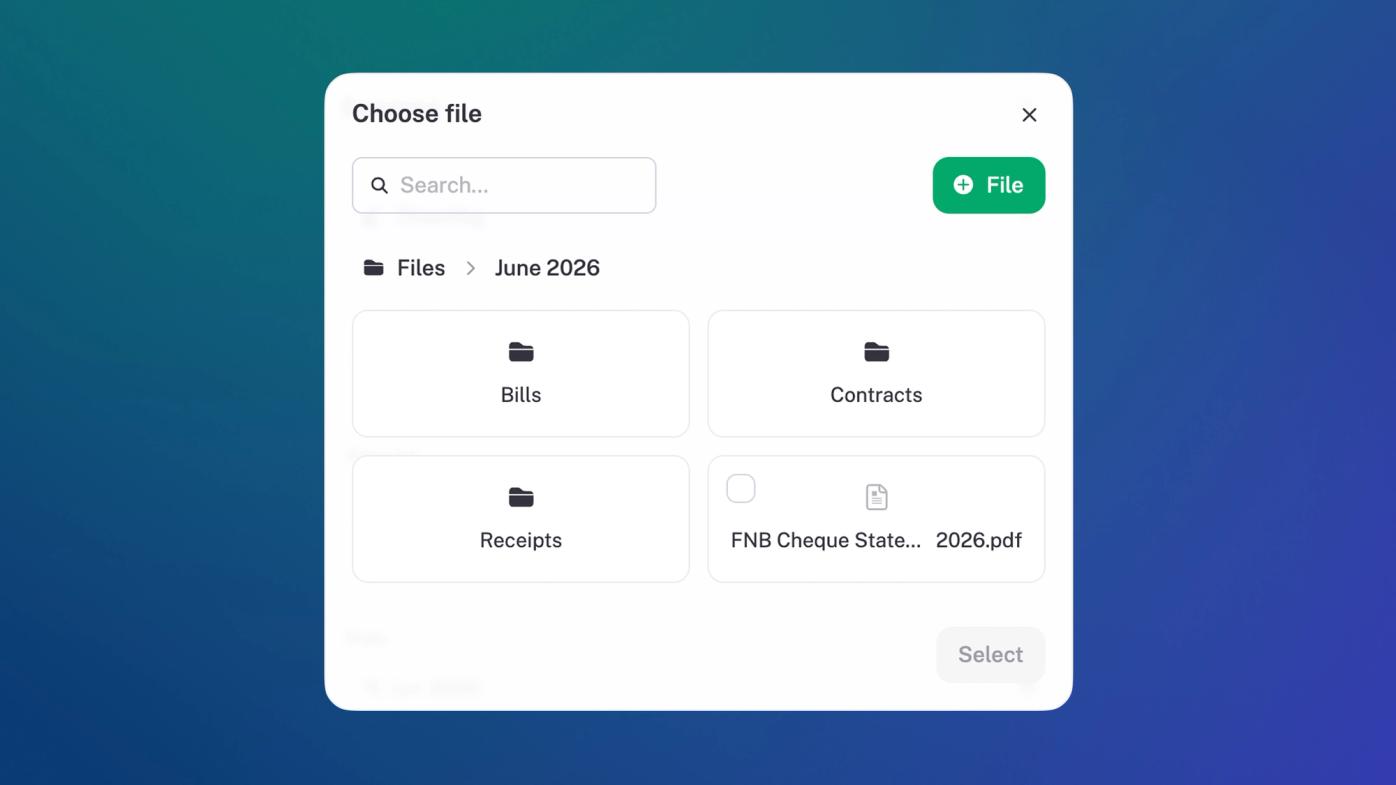
Folders for files
Your files now live in folders. Create them, nest them, drag things between them — and browse them right from the file chooser. No more scrolling through one outrageously long flat list when your file cabinet grows.
General ledger redesign
The GL got a beeeeeg clean-up. One single amount column instead of separate debit/credit columns (those were a little old school tbh), and a dedicated account filter with summary data for the selected account. Cleaner to read, quicker to navigate.
Debit notes linked to bills
Debit notes can now be created directly from a bill and linked back to it — mirroring how credit notes work with invoices. Returns and disputes on the purchase side are now fully trackable in one place.
Improvements
Sales & Expenses: the bottom of both lists now shows a count and combined total for everything in the current view. Useful at a glance — no need to export just to add things up.
General ledger: filter by account and you'll see opening balance, closing balance, and net change above the entries. No need to cross-reference the category report separately.
Category report: you can now filter by a specific customer or supplier, on top of the existing tag filter.
Filters: category filters now sits at the top of the filter list on Sales and Expenses. Most-used filter, easiest to reach.
Data: syncing functionality for 3rd party apps is more reliable and consistent. Less noise on the platform, more reliability for everyone.
Search: files can now be viewed inline from the search page. Easier to find things without jumping back and forth.
Fixes
Credit notes: allocating a credit note to an invoice now correctly flips the invoice status to "Paid" when the balance hits zero.
Bank statements: re-importing a statement no longer creates a duplicate bank account. The existing one is matched and reused.
Journal entries: editing the source transaction behind an entry now refreshes the entry detail view immediately — no more stale data until you reload.
Folders: moving a folder back to the root folder now always works correctly.
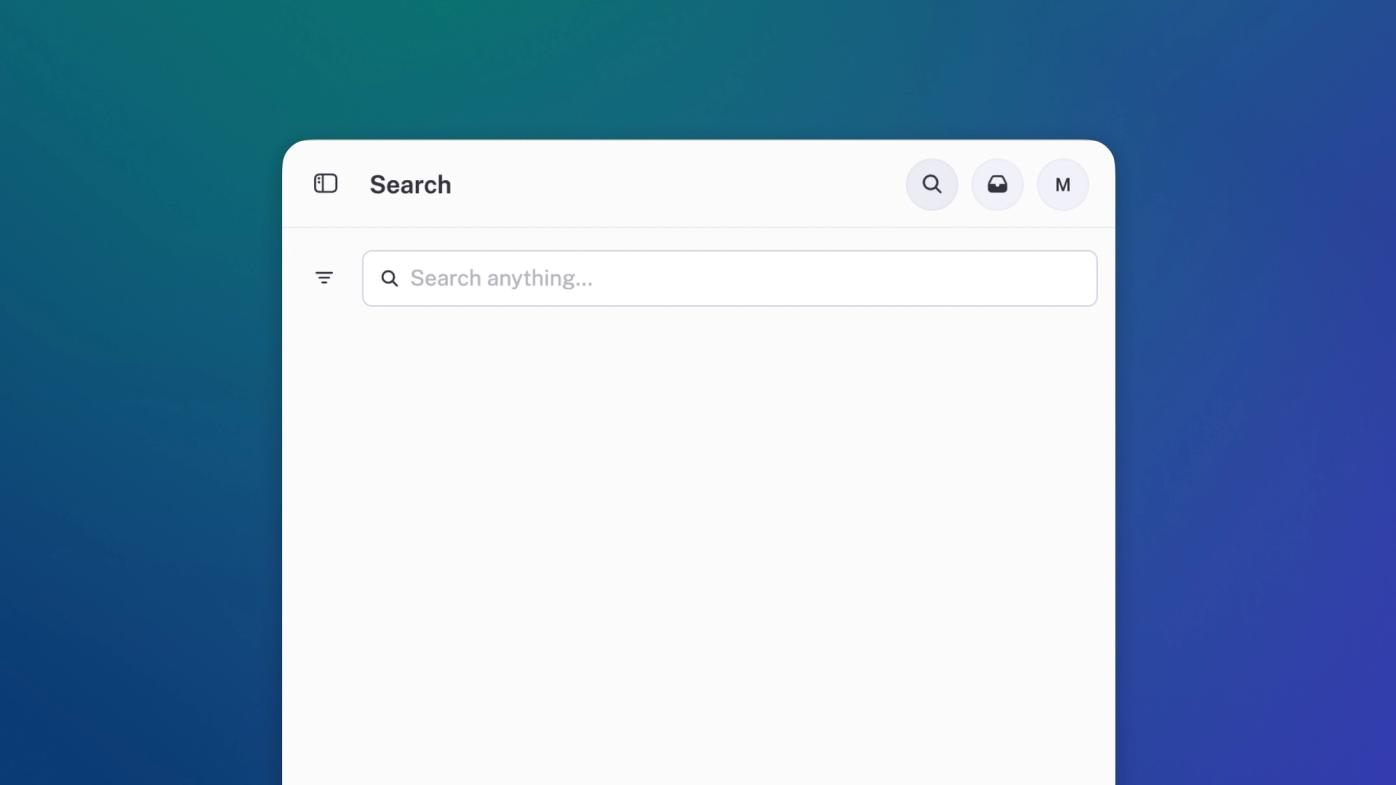
Search anything
Search now works a lot more like how you would expect search to work. There’s a new dedicated page (still reachable from the / shortcut). It’s much faster than before. And we even handle a little mispeling.
Financial Statements
Download a customisable management report pack from the reports section. Include any report you like so that you can get exactly what your business needs.
Report by tag
Sales, Expenses and Profit & Loss reports all got a compare by tag option. Useful if you use tags for departments, locations or projects.
Customers & Suppliers
Customer and supplier pages and reports now show invoices and transactions for all time by default — rather than month by month views. This makes finding and matching transactions waaaay easier.
Improvements
Navigation: we simplified navigation, so that sales and income live alongside each other, and bills and expenses do the same. This makes for less jumping between sections to allocate payments and work out what’s been paid.
Reports: got their own dedicated page and a layout clean up.
Invoices: download multiple invoices or bills at a time. As many as you like.
Income: bulk allocate customers to income transactions.
Expenses: bulk allocate suppliers to expense transactions.
Customers: flag items inline on the customer detail page.
Suppliers: flag items inline on the supplier detail page.
Developers: Create and manage your own custom apps and get install links to test them on any business.
Invoices: logo’s got rounded corners on pdf exports. 💅
System: updated our infra so that most pages load much faster.
Fixes
Invoices: we fixed a bug where sometimes a blank page would find its way into a long invoice or report pdf export.
Invoices: fixed a bug where invoice numbering glitched out and jumped a few numbers in the sequence. No more skipping skippy.
Payments: product orders now require a complete address for billing or delivery.
Invoices: fixed a bug where overdue invoices or overdue bills showed an incorrect number.
Invoices: made duplicating invoices more robust, no matter how much data is being copied.
Yoco: fixed a bug where VAT was incorrectly added when no VAT had been configured.
Credit Notes: allocating a credit note to an invoice now correctly marks that invoice as paid.